
Restaurant connectivity is everything: why your internet connection matters as much as your kitchen equipment
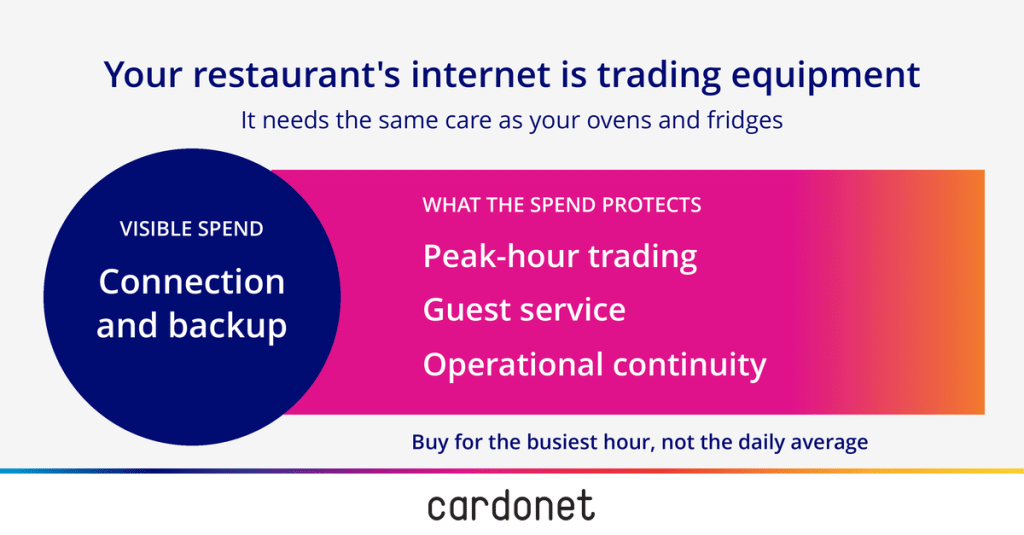
Within a few minutes, a restaurant takes a booking, fires an order, prints a ticket and charges a card. Depending on how your restaurant is set up, bookings, payments and kitchen systems may use different connections or continue working locally. A failed line can still interrupt several parts of service at once. Your connection is trading equipment, and it needs the same care as the ovens and fridges.
What rides on the line
Everything that earns money during service leans on the connection:
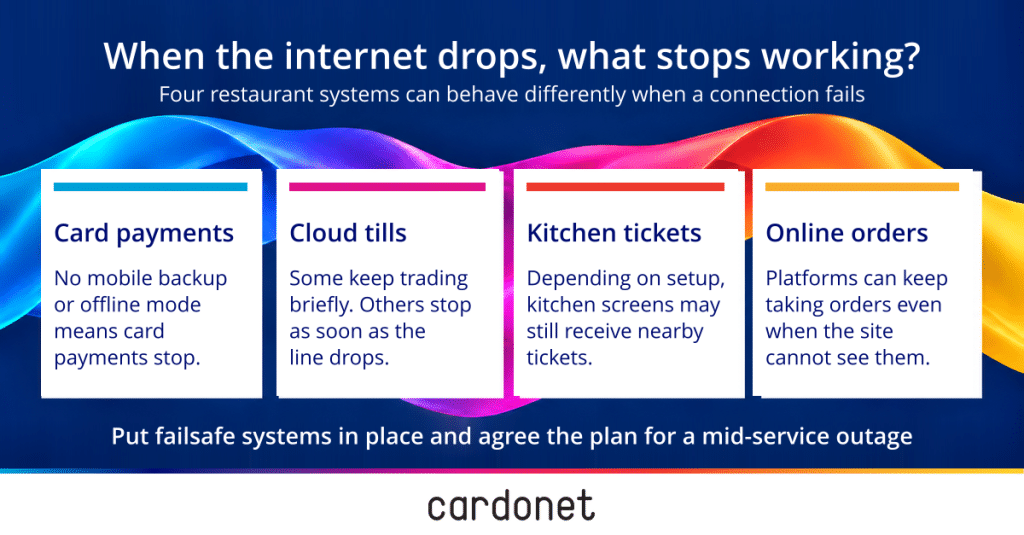
- Card terminals, which may use your main connection, a mobile connection or a supplier-approved offline payment mode.
- Cloud tills, which may carry on for a short while offline or stop at once, depending on the supplier.
- Kitchen display screens and printers, which may continue receiving tickets locally, depending on the till and network setup.
- Online ordering and table bookings, which may continue accepting requests centrally while your site loses the ability to receive or process them.
A dropped connection can interrupt the flow from the till to the kitchen or prevent online orders reaching the site, even while some local functions continue working. Each supplier can tell you what their system does when the line goes, and the answers belong where the shift lead can find them.
Our earlier piece on designing digital ordering for failure makes the same case for the ordering channels. The connection is where that design starts.
Cash is a thin fallback
When did you last go to a restaurant with enough cash in your wallet to pay for the meal? UK Finance’s UK Payment Markets 2026 report found that in 2025 cash made up 8% of all UK payments, cards 64%, and contactless payments 39%, included within the card figure. These figures cover all UK payments, so they cannot tell you how many restaurant guests carry cash. But a card outage will probably present many guests who have already eaten with an immediate problem. You could be left with a table that has eaten, cannot settle the bill and is watching your team decide what to do, while the next booking waits at the door.
Buy the primary line for the busiest hour
During a busy service, shared business broadband will slow down if the combined traffic exceeds the connection’s available capacity. The busiest hour of service is when a restaurant leans on it hardest: terminals, tills, kitchen screens, delivery tablets and, if you offer it, guest wifi and this is when it needs to be tested. Upload and download use, delay and packet loss during the busiest service show whether there is enough capacity for the systems that must remain online. A slow line during the rush looks to the guest like a slow restaurant, whatever the real cause may be.
The jobs need to stay apart as well. Card payments, back office systems and guest wifi belong on separate network segments, with access rules that block guest devices from reaching payment and till systems. Traffic priority is a separate setting, and it gives payment traffic the capacity it needs when the connection is busy. Our piece on the digital kitchen sets out how to draw those lines. At a busy site, a separate line for payments and ordering is worth pricing for.
Because a dedicated line (usually called a leased line) gives your site capacity set aside for you alone, a busy evening elsewhere cannot slow it. But it costs more, and whether it warrants that depends on the tills and screens you run and the online channels you take orders through. Whatever choice you make, buy for the peak, since the daily average hides the minutes that matter most.
Check your lines before the phone network switch-off
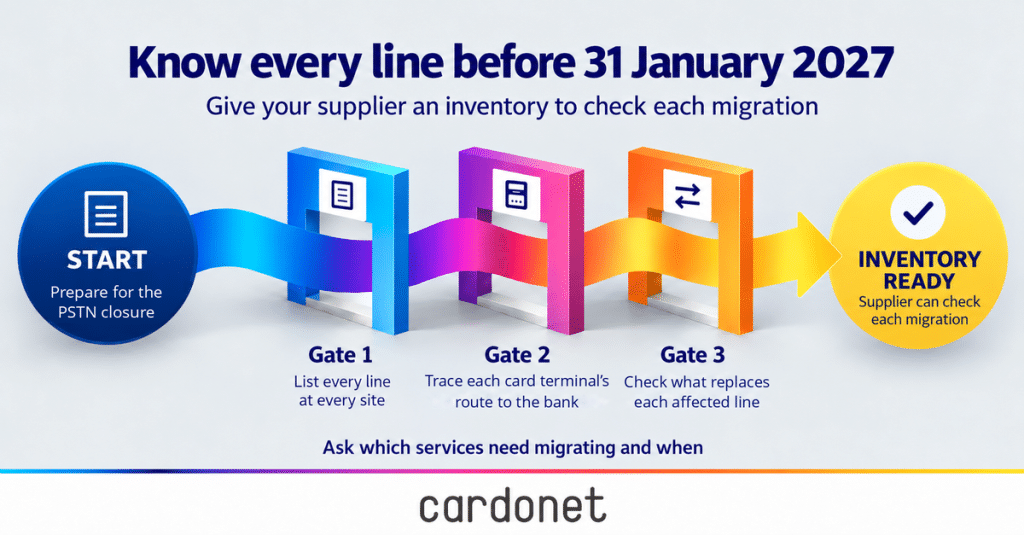
At the time of writing (October 2026), Openreach was saying BT Group would retire the Public Switched Telephone Network (PSTN) on 31 January 2027. Older phone services and broadband connections still tied to that network will need checking, along with card terminals and alarms that depend on them. Some broadband connections can continue using the copper cable from the street cabinet after the phone network closes, and your supplier can tell you which services at each site need migrating and when.
Three things to get from your supplier:
- Every line at every site, including the ones nobody uses any more.
- Every card terminal, and what it connects through.
- What each of them will run over after 31 January 2027.
A terminal that still relies on a retired service may lose connectivity. The supplier checks each migration against a complete inventory of lines and connected devices.
Make the second line fail differently from the first
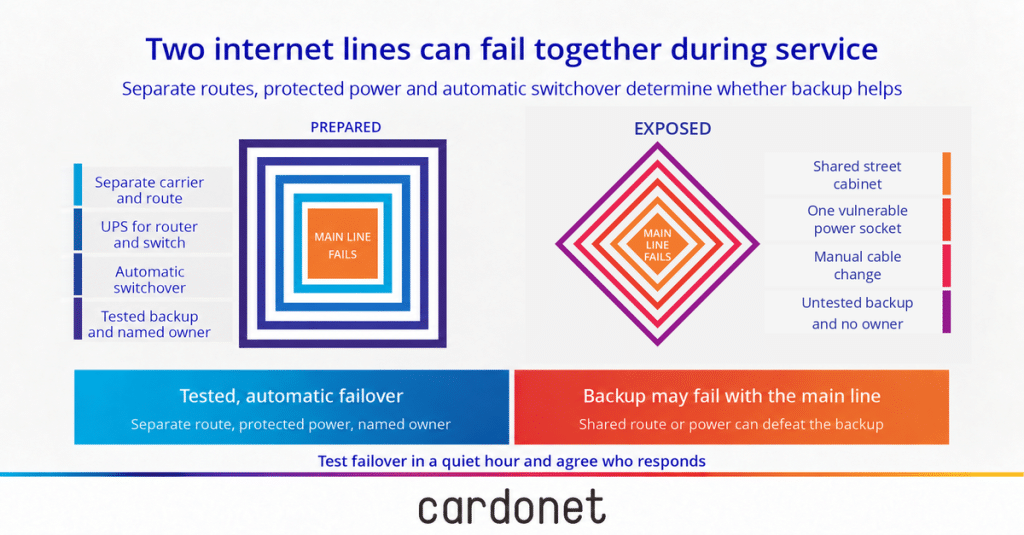
The second line earns its keep only if it survives whatever takes down the first. Two lines from the same provider can run through the same street cabinet and go down together, so a separate provider on a separate route is the stronger choice. Where speed of installation matters, a 4G or 5G backup can be quicker and cheaper. It relies on a signal strong enough indoors, and on a data allowance that mustn’t run out partway through a long outage, which is when you need it most.
Where each line enters the building, and what it depends on, decides whether the second line fails differently. An IT networks and cabling specialist can map both when the answers are unclear.
Choose with the calendar in mind. Whether a new line depends on the old phone service, and how long the supplier will support it, decides whether today’s choice still looks sensible next year.
Switch over automatically and protect the power
Nobody can swap out a cable during a Saturday service. Because the team is serving and the guests are waiting, a backup that needs a person to find the router and move a lead has failed before it starts. Automatic switchover detects a line failure and routes traffic over the backup. Each service takes its own time to recover, because an interrupted card payment or till session may need retrying.
Protected power is the other half. If the router, the switch and the 4G unit sit in a back cupboard on a single socket, one tripped breaker or one knocked plug takes both lines down at once, however good the lines are. An uninterruptible power supply (UPS) keeps that equipment alive through a power blip and gives it time to do its job. The equipment belongs on its own protected circuit, in a place nobody touches mid service, with a label on it. You can spend a great deal on two lines and lose both to one plug.
SD-WAN in plain English
SD-WAN is software that watches several connections at once, sends each kind of traffic over the best one available and gives you one place to manage them. Card payments can take the steadiest line while guest wifi uses the cheaper one. If the steadiest fails, the software moves everything across.
For a single site with two lines, an automatic failover may be all you need. For a group with several sites, managing every line in one place starts to pay for itself, because a fault at one site shows up where the person responsible for all of them is already looking. Whether it pays depends on scale, and the answer changes as you add sites.
Plan for the day it all goes wrong
As always, nobody can promise that nothing will ever go wrong. A second line shortens an outage, but both lines can still share a street, a power supply or a supplier, rendering the backup unusable. When something does fail, the plan you made beforehand decides how much trading you lose and how quickly you are back. Each layer costs money, and each site earns its own level of protection. The decision is an operational one, and it must be made long before the Saturday that tests it.
Test it, then own it
During a quiet hour, a controlled failover test with your IT team will answer four questions:
- Do the card terminals immediately reconnect on the second line?
- Do tickets still reach the kitchen?
- Does online ordering carry on?
- Who receives the alert, how quickly, and is there a clear escalation path for resolution?
A backup nobody has tested is an assumption, and an assumption costs nothing to hold until the night it gets tested. Any change to the network, the tills or the suppliers calls for another test.
Then comes the question of who owns the fault. With two carriers and a router supplier involved, a drop can turn into three phone calls while the dining room waits. Cardonet has been independent since 1999, and our 76 people include 62 technical experts. Our work centres on planning, setting up and testing, so the answer to a drop and who must own the solution can be agreed before the drop happens.
Put the connection on the equipment list
Because your equipment list already holds the ovens, the fridges and the dishwashers, each with a service plan, the connection infrastructure belongs on it too, with a named owner, a backup and a test date. Our earlier pieces on onboarding and training for new sites and the human firewall cover the people who work on top of this line, and our restaurant IT supportcovers the rest of your IT.
Ask us to run a connectivity review before your next busy season.
FAQs
1. What happens if my restaurant’s internet connection drops during service?
A drop can interrupt card payments, tickets to the kitchen and online orders, depending on how each system is set up. Each supplier can say what their system does offline, and a supervised failover test during a quiet hour shows how it behaves in practice.
2. Does a restaurant need a leased line, or is business broadband enough?
Shared business broadband may slow if the combined traffic exceeds its capacity, and the busiest hour of service is when a restaurant needs it most. A leased line gives your site capacity set aside for you alone but costs more, and the peak hour decides the size of line a site needs.
3. What makes a good backup internet connection?
Because two lines from one provider can share a street cabinet and fail together, a separate provider on a separate route is the stronger choice. Switchover must be automatic, and the equipment needs an uninterruptible power supply (UPS) so one knocked plug cannot take down both lines.
4. Does the Openreach phone network switch-off affect card machines?
At the time of writing (October 2026), Openreach was saying BT Group would retire the old phone network on 31 January 2027. Your supplier can say whether your card terminals use that service and how they will keep working after the change, and some broadband services can continue using a copper connection.
5. What is SD-WAN, and does a restaurant need it?
SD-WAN (software-defined wide area network) is software that watches several connections, sends each kind of traffic over the best one and gives you one place to manage them. For a single site with two lines, an automatic failover may be all you need, while a group with several sites gains more.
More from Pratik Patel

You must be logged in to post a comment.